
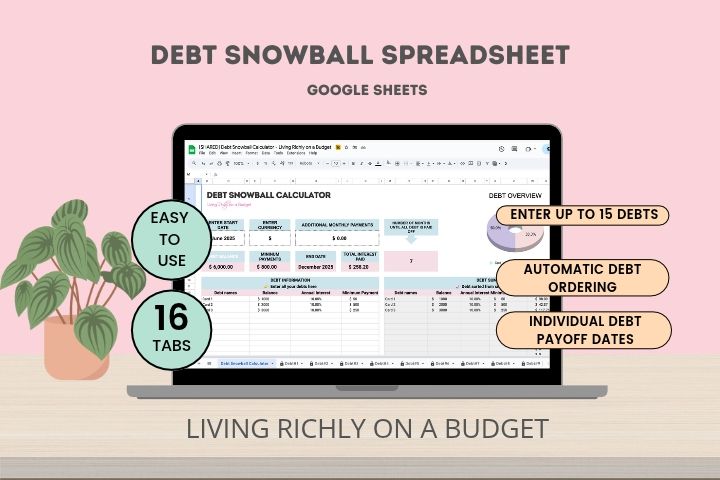
Paying off multiple debts can feel overwhelming, especially when you’re not sure which one to tackle first. The Debt Snowball Spreadsheet for Google Sheets helps you organize up to 15 debts, create a clear payoff plan, track your payments, and see your estimated debt-free date.
With automatic calculations and a simple payment checklist, you’ll know where to focus your extra money and have a plan to keep moving forward.
Google Sheets template · Up to 15 debts · Automatic calculations · Video instructions
Stop wondering which debt to pay off first
When you have multiple debts, it’s easy to get stuck paying the minimum on everything, without feeling like you’re making much progress.
You know you want to pay off your debt, but figuring out where to put your extra money can be confusing! And when you’re confused, you don’t do anything.
That’s where the debt snowball method comes in.
Instead of spreading your extra payments across all your debts, the snowball method helps you focus on paying off your smallest debt first. Once that debt is paid off, you can put the money you were paying toward it toward your next debt.
Each paid off debt gives you another win and builds momentum toward your bigger goal.
The Debt Snowball Spreadsheet helps you put that strategy into action with a clear, organized payoff plan.
What’s included in the Debt Snowball Spreadsheet?
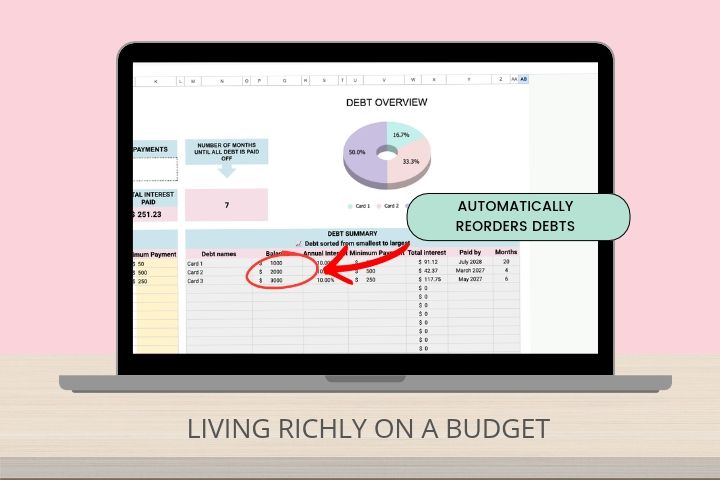
- Automatic debt ordering
- Your debts are automatically arranged from smallest balance to largest so you know which debt to tackle first.
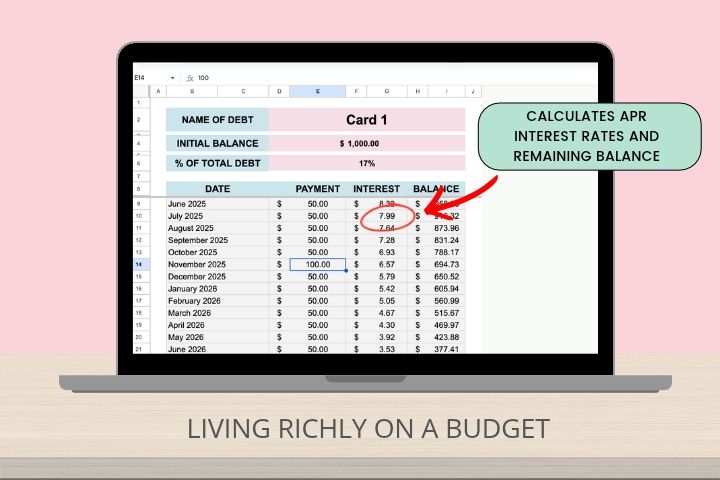
- Automatic interest calculations
- Account for interest as you work through your debt payoff plan.
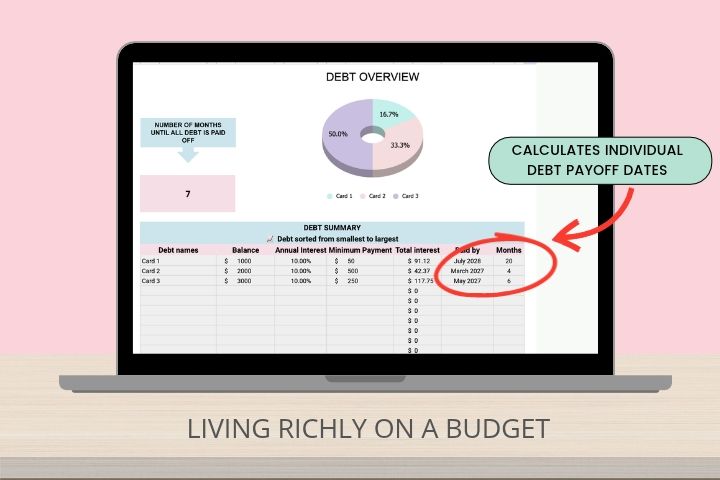
- Individual debt payoff dates
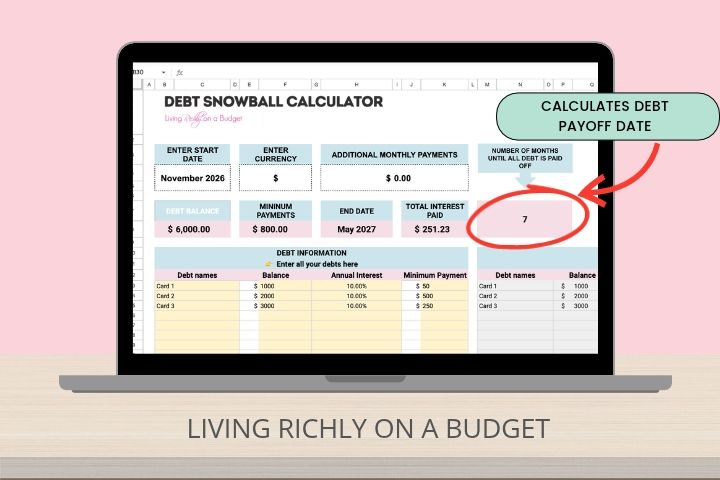
- See the estimated payoff date for each debt, along with your overall debt-free date.
- Plan your extra payments
- Enter the extra amount you want to put toward debt and see how it affects your payoff plan.
How the Debt Snowball Spreadsheet works
Getting started is simple.
- Enter your debts. Add up to 15 debts and enter the information needed for your payoff plan.
- Review your debt payoff plan. Use the debt snowball method to determine which debts to prioritize.
- Make your payments. Follow your plan and use the payment checklist to keep track of your progress.
- Update your balances. Record your progress as you pay down your debts.
- Watch your progress. See your updated payoff information and estimated debt-free date.
Instead of constantly wondering what to pay off next, you’ll have a system to help you stay focused.
Why the debt snowball method works
Paying off debt isn’t just about the numbers. It’s also about staying motivated long enough to reach your goal.
Therefore, the debt snowball method focuses on paying off your smallest balances first. As a result, this gives you opportunities to eliminate individual debts sooner and celebrate those wins along the way.
This method keeps you motivated. Every debt you pay off is one less payment to manage. You can then redirect that money toward your next debt and keep building momentum.
Think of it like knocking down one domino at a time. Each small win gets you closer to the bigger goal.
Is this Debt Snowball Spreadsheet right for you?
This spreadsheet is a great fit if:
- You have multiple debts and don’t know which one to pay off first.
- You want a clear plan instead of figuring everything out as you go.
- You want to use the debt snowball method to pay off debt.
- You need help organizing up to 15 debts.
- You want automatic calculations instead of doing the math yourself.
- You feel more motivated when you can see your progress.
- You want to know your estimated debt-free date.
Whether you’re paying off credit cards, personal loans, or other types of debt, you can use this spreadsheet to organize your debt payoff journey.
Take a closer look inside
See how the spreadsheet is organized before you buy.
Created by someone who understands the debt payoff journey
I know firsthand how overwhelming it can feel when you have multiple debts and aren’t sure where to focus your money.
When I was paying off debt, one of the hardest parts was figuring out which debts to prioritize. I was making minimum payments on everything, but I needed a better strategy for using my extra money to actually make progress.
That’s when the debt snowball method made a difference for me.
By focusing on smaller debts first, I was able to pay them off one at a time. Every time I eliminated a debt, it felt like a huge win. I could take the money I had been putting toward that debt and use it toward the next one.
Having a system helped me feel more confident about my debt payoff journey. And seeing a projected debt-free date made the goal feel more real and achievable.
I created this spreadsheet to help you do the same: get organized, know where to focus, and make steady progress toward becoming debt-free.
Frequently Asked Questions
What is a debt snowball spreadsheet?
A debt snowball spreadsheet is a tool that helps you organize multiple debts and follow a repayment strategy that prioritizes paying off your smallest balances first. As you eliminate debts, you can redirect those payments toward your remaining balances.
How many debts can I track?
You can enter and track up to 15 debts in this Google Sheets spreadsheet.
Does the spreadsheet calculate everything automatically?
Yes! The spreadsheet includes automatic calculations to help you track your debt payoff progress, including your estimated debt-free date.
Does this spreadsheet use the debt snowball or debt avalanche method?
This spreadsheet uses the debt snowball method, which prioritizes paying off your smallest debt balances first.
Does it work with Microsoft Excel?
No. This template is designed for Google Sheets.
Do I need to know how to use spreadsheets?
[CONFIRM WHETHER BEGINNERS CAN USE IT AND WHAT LEVEL OF GOOGLE SHEETS KNOWLEDGE IS REQUIRED.]
How do I receive the spreadsheet?
After purchasing, you’ll receive access through a Google Sheets template link.
Are video instructions included?
Yes! Video instructions are included to help you get started with the spreadsheet.
Ready to take control of your debt payoff plan?
You don’t have to keep guessing which debt to pay off next.
Get organized, focus on one debt at a time, and watch your progress toward becoming debt-free.
Google Sheets template · Tracks up to 15 debts · Automatic calculations · Video instructions